
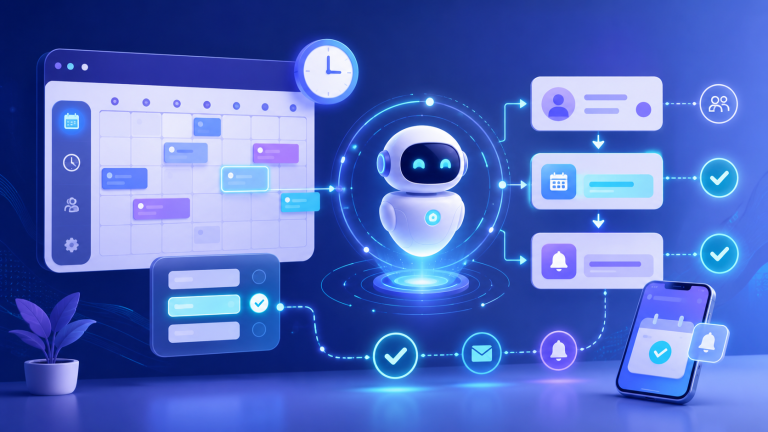

Do you notice gaps in your schedule that don’t match the volume of traffic and inquiries you receive? If this is happening to you, you’re losing appointments due to friction, slow response times, and a lack of follow-up. Here, you’ll learn how to identify these issues and resolve them using AI for scheduling appointments, by combining automated online booking, a chatbot for capturing appointments, and AI-driven rules to reduce no-shows. All of this is geared toward optimizing the booking process, with clear metrics and actionable steps.
How to Tell If You’re Missing Appointments (Even If Your Schedule Seems “Full”)
Signs on Your Website: Abandoned Contact Forms, Forms That Don’t Convert, Clicks Without Action
Your website may be generating interest, but not appointments. Common signs:
- High bounce rate on “Contact” or “Booking”: users arrive, scroll, but don’t submit.
- Long forms or forms with errors: unnecessary required fields, confusing validation rules, intrusive CAPTCHAs.
- Clicks with no action: CTAs that open slow pop-ups, calendar widgets that don’t work on mobile.
Action for today: Use Analytics and heat maps to review the click-through rate on CTAs versus actual submissions, as well as the loading time of the booking page (mobile-first). If the drop-off between clicks and submissions exceeds 40%, there is friction.
Signs to watch for: missed calls, unanswered WhatsApp messages, long wait times
When the “human” channel is the bottleneck, the leak skyrockets:
- Calls made outside of business hours or during peak times (12:00–14:00, 18:00–20:00) will not be answered.
- WhatsApp messages left unanswered within the first hour, or replies saying, “We’ll call you tomorrow.”
- He waits at the front desk while the customer says, “I’ll check the website later,” and then leaves.
Action Today: Measure the First Response Time (FRT) for each channel. Goal: < 2 minutes for digital channels, < 15 minutes if human intervention is required.
Signs in your metrics: low conversion rate, high bounce rate on service pages, cold leads
Your funnel gives it away:
- Conversion rate to appointments below 3–5% with qualified traffic.
- High bounce rate on service pages with specific intent (diagnosis, rates, FAQs).
- Cold leads: They ask for information, but they don’t make reservations or respond to follow-ups.
Action for today: Create a dashboard showing Visits → Click to Book → Start of Workflow → Appointment Confirmed, and drop-off rates by step. Prioritize the step with the highest drop-off rate.
Why Appointments Are Missed: Friction, Speed, and Lack of Follow-Up
Friction in the process: too many steps, fields, and unresolved questions
If you force users to choose a service, professional, date, personal information, and payment all in the same session, they’ll give up. Questions (about price, duration, preparation) that aren’t answered immediately slow down the process.
Action: Reduce to a maximum of 3 steps (select service → date/time → minimum information). Display price, duration, and policy before shipping.
Delayed Response: The True Cost of “I’ll Get Back to You Tomorrow”
Interest is fleeting. In B2B and clinical settings, a delay of just a few hours significantly increases the risk that the user will book with someone else. Furthermore, interest wanes and the number of no-shows rises.
Action: Define a real-time response SLA for the website and WhatsApp. If no agent is available, trigger an automated system that guides the user through the process until confirmation.
Lack of qualification and confirmation: leads who book without intent
If you accept everything without filtering it, you’ll schedule slots that are unlikely to materialize. There’s a mismatch between needs, budget, or prior preparation.
Action: Include 2–4 screening questions before indicating availability and providing confirmation via two channels (email + WhatsApp).
No-shows and Cancellations: Common Causes and How to Spot Them
The most common reasons: forgetfulness, inflexible schedules, concern about the cost, transportation difficulties, and the lack of reminders and advance confirmation.
Action: Set up staggered reminders (72 hours/24 hours/2 hours), a one-click rescheduling option, and a waiting list to fill in gaps.
How AI Generates Appointments: AI for Scheduling Appointments with Automation and Real-Time Conversion
24/7 support to answer questions and assist with reservations
A chatbot instantly answers questions about price, duration, preparation, and insurance, and guides you step by step through the process of scheduling an appointment, even after hours.
Action: Enable the chatbot for scheduling appointments on service and contact pages. Prioritize mobile.
Lead Generation and Qualification: Smart Questions to Ask Before Offering Open Positions
The AI detects intent and asks only for what is necessary: reason, urgency, location/professional preference, and restrictions. With that information, it displays relevant time slots in real time.
Action: Define scoring criteria (urgency, fit, value) and ensure that the system filters out irrelevant results.
Automatic confirmations and personalized reminders to reduce no-shows
After making a reservation, send an immediate confirmation and reminders based on the customer’s profile: preferred communication channel, tone, pre-visit instructions, and required documentation.
Action: Activate multichannel reminders with content tailored by service and a visible no-show policy.
Rescheduling and Follow-Up: Effortlessly Recover Lost Opportunities
If someone cancels or doesn’t complete the workflow, the AI suggests new time slots, offers a waitlist, and sends reminders when a spot becomes available.
Action: Set up recovery workflows for abandoned carts and cancellations, offering the next available option.
Measurement and Continuous Improvement: Key KPIs and How to Interpret Them
Control the entire funnel:
- Appointment conversion rate (visit → confirmed appointment).
- TPR (First Response Time) by channel.
- Termination due to reserve flow.
- No-show rate and slot reuse.
- Top conversion sources (SEO, Ads, WhatsApp, email).
Action: Review these KPIs weekly and adjust the copy, the order of the questions, and the schedule based on the data.
Use Cases by Industry (B2B and Clinics) to Integrate AI into Your Daily Routine
Clinics: first visit, emergency care, recurring treatments
The AI distinguishes between initial visits, follow-ups, and emergencies. It asks about symptoms, preferred provider, and insurance coverage. It offers quick appointment slots for acute pain and sends a series of reminders about preparation (fasting, test results).
Action: Create workflows by service (dentistry, physical therapy, dermatology) with step-by-step instructions and specific questions.
B2B Services: Demos, Audits, Sales Meetings
Qualify leads by industry, size, and use case. Offer demos with the appropriate account representative, and send the agenda and pre-meeting materials. If there’s no fit, seamlessly direct them to relevant content or a newsletter.
Action: Define routes based on the ICP (Ideal Customer Profile) and link the appointment to the correct sales representative’s calendar.
Businesses with International Operations: Hours, Languages, and Availability
AI detects time zones and languages. It displays local availability, translates messages, and coordinates teams in different countries without overlapping.
Action: Enable time zone detection and multilingual templates for confirming and reminding about appointments.
How to Implement AI for Dating Without Complicating Things (7-Day Plan)
Days 1–2: Audit the appointment funnel (website, channels, timing, drop-off points)
Map landing pages, CTAs, forms, chat/WhatsApp, and response times. Identify the step with the highest abandonment rate.
Deliverable: funnel diagram with rates per step and a list of frictions.
Days 3–4: Design the conversation flow and qualification criteria
Define minimum questions per service, priority rules (urgency, ticket, availability), and contextual help messages.
Deliverable: conversation script and scoring matrix.
Day 5: Integrate the calendar, CRM, and channels (website/WhatsApp/email)
Connect the AI to team calendars, CRM systems for contacts and leads, and inbound channels. Test for conflicts and permissions.
Deliverable: Bidirectional synchronization and real-world reserve testing.
Day 6: Set up reminders, confirmations, and rules to prevent no-shows
Set frequency, content, and channel by appointment type. Enable one-click rescheduling and an automatic waitlist.
Deliverable: multichannel templates and transparent policies.
Day 7: Launch, Measure, and Optimize (First Improvement Cycle)
Launch the system in production with daily KPI tracking. Adjust copy and questions based on drop-off rates.
Deliverable: dashboard showing conversions, TPR, no-shows, and drop-offs by step.
Why RESERVAI is the right fit when your goal is to generate more appointments using data and analytics
What problem does it solve, and at what point in the funnel does it have an impact?
RESERVAI is Noergia’s (Gijón, Asturias) smart booking system that responds instantly, guides the user, rates options before displaying available slots, and confirms appointments with personalized reminders. It takes just one click to book → appointment confirmed and reduces no-shows with automatic rescheduling.
Recommendation: Use it on high-intent pages, WhatsApp, and ad campaigns that lead to bookings.
What You Should Look for in an AI Booking Solution (Buying Checklist)
- 24/7 multichannel (web, WhatsApp, email) and multilingual customer service.
- Dynamic qualification and prioritization rules by service/ICP.
- Native integration with calendars and CRM systems, with two-way synchronization.
- Reminders and rescheduling with custom templates.
- KPI Dashboard: conversion, TPR, no-shows, drop-offs, source.
- Quality controls: handoff to a human and editing of responses.
- Privacy and Security: GDPR, Encryption, Auditable Logs.
Recommendation: Test these points in a real 7-day trial using your own traffic.
Metrics You Should Track Starting in the First Month
- +20–40% increase in appointment conversions from service/contact pages.
- TPR < r 60 seconds on digital channels.
- No-show: 15–30% for reminders and rescheduling.
- Breakaway by stage, focusing on the two biggest breakaways.
- Sources of quotes for budget reallocation (SEO/Ads/Referrals).
Recommendation: Make biweekly CRO decisions based on this data, not on intuition.
FAQ on AI for Reservations and Appointment Scheduling
Does AI replace my team or support it?
It supports you. AI answers frequently asked questions, assesses issues, and schedules appointments. When it detects a complex issue, it refers it to a human agent along with all the context so your team can focus on high-value cases.
What happens if the user asks complex questions?
The AI provides a response based on your knowledge base. If the inquiry goes beyond the script or involves a diagnosis, it requests additional information and schedules an appointment with a specialist or transfers the chat.
How does it integrate with my website and my calendar?
Through widgets and links in CTAs, as well as integration with Google, Microsoft, and CRMs. Two-way synchronization prevents double bookings and respects availability restrictions.
Is it secure in terms of data?
Yes, with GDPR compliance, explicit consent, and encryption in transit and at rest. You can limit data retention, obfuscate sensitive data, and audit access.
How long does it take to see results?
In 7–14 days, you’ll start to see improvements in TPR and conversion rates. A reduction in no-shows is usually noticeable after the first round of reminders (3–4 weeks).
Conclusion: Recover missed appointments with a system that responds, guides, and confirms
Next Step: What to Check Today Before Automating
– Check your current TPR by channel and the drop-off rate between clicking “Book” and submission.
- Simplify the form (3–5 fields).
- Set 72-hour, 24-hour, and 2-hour reminders with one-click rescheduling.
- Define 2–4 qualifying questions per service.
- Create a dashboard of KPIs (conversion, TPR, no-shows, abandonment).
If you want a seamless experience, Noergia’s RESERVAI combines AI for scheduling appointments, lead qualification, and advanced analytics. We’ll help you go from “people message me, but they don’t book” to confirmed appointments with full control over the funnel. Shall we take a look at your data?


