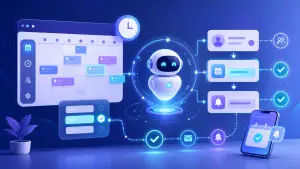
24/7 AI-powered reservations are no longer just for large chains. More and more small and medium-sized businesses are using them to capture appointments outside of business hours, lighten the front desk’s workload, and confirm instantly via the website and WhatsApp. If your 24/7 booking system for small and medium-sized businesses is still just a form or a phone line, you’re leaving money on the table.
This article provides a step-by-step guide on how businesses like yours are implementing this: AI-powered automatic reservations that follow your rules, integrate with your calendar, and send reminders to reduce no-shows. You’ll also see how RESERVAI—Noergia’s virtual booking assistant—fits into the picture, and what metrics to track starting from the first month.
Why Small and Medium-Sized Businesses Are Losing Reservations (and Money) Outside of Business Hours
The Real Cost of Not Responding in a Timely Manner (Website, WhatsApp, Phone Calls)
A visitor who doesn’t receive a response within minutes usually goes to a competitor. In our implementations, we see clear patterns:
- Website: Forms without immediate confirmation raise doubts. If there’s no set date, interest wanes.
- WhatsApp: Messages sent at night aren’t answered until the next day. By the time you reply, the customer has already made a reservation elsewhere.
- Calls: If they come in after hours or during peak times, they get lost. Leaving a message saying “I’ll call you back” isn’t as effective as an immediate confirmation.
The difference between responding in 2 minutes or 2 hours results in fewer confirmed appointments and more empty slots.
When Requests Spike: Nights, Weekends, and Peak Demand Periods
The peak times don’t align with your schedule: most inquiries occur at night and on Sundays. In addition, campaigns, seasonal events, or local events drive up demand just when the fewest staff members are available.
If there isn’t an automated response that confirms the date and time, those opportunities are lost.
What “24/7 AI-powered reservations” means in practice (smoke-free)
Difference between a form, a booking engine, and a chatbot
- Form: Collects data but does not confirm it. Requires manual processing.
- Booking engine: shows available slots and lets users choose. Useful, but limited when there are nuances in service or prior questions.
- Conversational assistant (smart booking chatbot): asks just the right questions, validates rules, suggests time slots, and confirms. It can operate on the web and via messaging apps, and automates appointments and actual reservations.
Which tasks should be automated, and which should remain the domain of humans?
- Automates: basic qualification, scheduling proposals, confirmation, deposit collection (if applicable), reminders and rescheduling, simple changes, and collection of preliminary data.
- Human: complex clinical cases, customized budgets, exceptions, complaints, and decisions that fall outside the rules.
The key is for AI to resolve 80% of repetitive requests and forward the rest with the necessary context.
Real-World Use Cases by Industry (Recurring Patterns)
Clinics and Health: Appointments, Reminders, and Reducing No-Shows
- Simple triage: reason (follow-up, initial visit, emergency), healthcare professional, and facility.
- Instant confirmation: slots available based on duration and equipment.
- Multichannel reminders: WhatsApp and email with links to reschedule.
- Typical results: more confirmed first visits and a 20% to 40% reduction in no-shows with reminders and an optional deposit.
Local Services: Quick Reservations and Management of Changes/Cancellations
- Reason: cutting, repair, diagnosis, technical visit.
- Dates in 2 steps: suggests morning or afternoon options based on region or mobile resource.
- Changes/cancellations: permitted up to X hours in advance, with a penalty if applicable.
- Typical result: fewer calls, a busier schedule on weekends, and more stable occupancy.
B2B: Qualified Meeting Requests and Sales Team Schedule
- Criteria: company size, interest, deadlines, current tool.
- Smart Routing: Assigning sales representatives based on territory or industry.
- Integration: CRM and video calls. Automatic invitations with attachments.
- Typical outcome: less back-and-forth and more meetings that actually lead to decisions.
How to Implement It Step by Step (A Checklist for Doing It Right)
Define rules: availability, margins, services, and timeframes
- Availability: schedules, holidays, buffers between appointments, and daily limits.
- Services: duration, required resources, compatibility.
- Policies: Cancellation, rescheduling, deposit, or prepayment.
- Exceptions: emergencies, VIPs, double booking, controlled overbooking.
Designing the conversation flow: minimal questions, clear answers
- Order: reason → preferred date → basic information → confirmation.
- Language: concise, free of technical jargon, with options (buttons or guided prompts).
- Minimal friction: only the information necessary to complete the transaction.
- Fallback: If there’s a hold, offer to “call you back” and provide a time.
Key integrations: calendar, CRM, email/SMS/WhatsApp
- Calendar: Google/Microsoft, two-way sync with actual blocks.
- CRM: Lead created/updated with source and status.
- Communications: Automatic confirmations and reminders with links to change or cancel.
- Payments: deposit or prepayment if the no-show is critical.
Metrics: conversions, confirmation rate, no-shows, and time saved
- Conversions: visits → lead → confirmed reservation.
- Confirmation rate: by channel (website vs. WhatsApp) and by service.
- No-shows: before/after reminders and deposit.
- Time saved: minutes freed up at check-in and cost per appointment.
Risks and How to Avoid Them (So as Not to Ruin the Experience)
Common mistakes: over-automation, friction, ambiguous responses
- Over-automation: Don’t force complex cases. Offer prompt referral.
- Friction: Too many questions kill conversion. Ask for just the right amount.
- Ambiguity: Clear Rules and Specific Messages with Examples.
Privacy and Compliance: Sensitive Data and Consent
- Data Minimization: Only data necessary for the appointment.
- Consent: visible text and opt-in record.
- Retention: Deletion Policies and Access to History.
Monitoring and Oversight: Logs, Review, and Escalation to a Human
- Logs: Conversations that can be reviewed for auditing and improvement purposes.
- Alerts: Cases not closed within X minutes → notification to the team.
- Escalation: “Speak to a Representative” button and context-aware transfer.
What Should an AI-Powered Booking Solution for Small and Medium-Sized Businesses Include?
Multi-channel and Availability Consistency
A single inventory system that syncs the website, WhatsApp, and other channels. No duplicate reservations or overlaps.
Confirmations, reminders, and automatic rescheduling
The tool must provide immediate confirmation, send reminders, and allow users to change the date without human intervention.
Customization Based on Services and Business Rules
Durations, resources, areas, cancellation policies, and variable pricing. Your operation—not a one-size-fits-all solution.
Analytics and ROI: What to Look For in the First Month
- Percentage of after-hours reservations out of the total.
- Conversion by channel and by service.
- Reduction in no-shows following reminders/notifications.
- Reception hours saved and cost per appointment.
How RESERVAI Enables 24/7 Reservations
When RESERVAI Is the Best Option (Business Profiles)
- Clinics and health centers that schedule appointments by provider and have high demand for after-hours care.
- Local services (beauty, workshops, repairs, training) that change frequently and require quick confirmation.
- B2B companies that want to qualify leads and schedule appointments with the sales team without exchanging emails.
RESERVAI operates via the web and messaging platforms, ensures consistent availability, confirms, sends reminders, and reschedules based on real-world business rules.
What to Set Up Before Activating It (Calendar, Services, Messages)
- Schedule: hours, buffers, vacation time, and resources by service.
- Services: Duration, Pricing, Prerequisites, and Policies.
- Messages: brand tone, basic questions, and standard responses.
- Integrations: calendar, CRM, email/SMS/WhatsApp, and, if applicable, payments.
Initial indicators for validating results
- Confirmed reservations made outside of business hours (Week 1 vs. Week 4).
- Rescheduling rate managed by the assistant.
- No-shows with and without a reminder.
- Average response time reduced to seconds.
If, within 30 days, you don’t see an increase in confirmed appointments and a decrease in reception hours, we’ll adjust the rules and workflow. The goal is measurable operational impact.
FAQ on 24/7 AI-Powered Reservations
Can AI handle changes and cancellations without errors?
Yes, if there are clear rules: up to X hours, penalty, minimum window. RESERVAI verifies availability, enforces the policy, and logs everything.
What happens if a customer writes with questions or incomplete information?
The assistant asks guided questions and suggests options. If it can’t resolve the issue, it refers the matter—along with the context—to a team member.
Is it possible to maintain the brand’s tone in the responses?
RESERVAI allows for templates and styling by channel. It can be adjusted to a more casual or formal tone depending on the brand.
How long does it take to implement it in an SME?
With rules and schedules in place, 1 to 2 weeks. Includes configuration, integrations, testing, and a controlled rollout.
Conclusion: From “responding when possible” to “making reservations when the customer wants”
SMEs that adopt 24/7 AI-powered booking systems no longer rely on business hours to generate leads. They secure more appointments, reduce no-shows, and free up staff.
Before implementing, review: services, durations, policies, and the tone of messages. Then activate the chatbot on the web and WhatsApp, integrate it with your calendar/CRM, and track conversions and no-shows. If you’re looking for a direct approach, Noergia’s RESERVAI brings all these elements together and prioritizes results, not promises.
When a customer wants to make a reservation, your business needs to be there. With AI, it is.